

A video transmitter is a tiny radio station that makes its own weather. A VTX that is putting out 800 milliwatts or more of radio power is turning a large share of its input power into heat, in a package the size of a postage stamp, with no fan and no airflow while it sits on the bench. Leave it powered at full output while you wait for a GPS lock, and it can cook itself past the point of no return in under a minute — the video goes noisy, then black, and the transmitter is dead. Almost every VTX death happens on the ground, before takeoff, not in the air: in flight the prop wash keeps it cool; on the bench, nothing does.
This guide explains why VTXs overheat, the settings that prevent it — pit mode first, because it is free and it solves most of the problem — the physical cooling that handles the rest, and the one rule that matters more than all of it: never power a VTX without an antenna. The temperature figures below come from VTX guides rather than laboratory tests, so treat them as the shape of the problem — seconds, not minutes.
The Short Answer: Airflow Is Everything

A VTX that overheats in thirty seconds on the bench runs cool at sixty kilometres an hour in flight, because the difference between the two is airflow. The transmitter’s heat has only one way out: through its case, into moving air. On the ground there is no moving air, so the heat builds in the case until the silicon inside reaches its limit and the VTX either shuts itself down or dies. Every fix in this guide is, at root, a way of giving the heat somewhere to go — less power, more air, or a bigger piece of metal to soak it up.
The practical summary is four habits. Enable pit mode, or low power on disarm, so the VTX sits at minimum power whenever the quad is armed on the ground. Give the VTX air: mount it where prop wash reaches it, and leave an air gap above and below it. Add a heatsink if the VTX runs hot at the power you fly. And never power the quad without the antenna fitted — a transmitter with no load destroys its own power amplifier in seconds, at any power level, and no amount of cooling saves it.
Why VTXs Get Hot
A VTX makes heat from two sources. The first is the radio-frequency amplifier: only forty to sixty percent of the power going in becomes radio output, and the rest becomes heat inside the module. The second is the voltage regulator: stepping a 6S battery’s twenty-five volts down to the five or three volts the VTX runs on burns the excess as heat. The higher the output power, the worse both get. A 25-milliwatt VTX can sit on the bench for five minutes without trouble; a 200-milliwatt unit is safe for a minute or two. At 600 milliwatts and above, guides report overheating in thirty to sixty seconds without airflow, and at a watt or more, in under thirty seconds.
The numbers vary by module, and the guides that publish them are working from bench experience rather than lab measurement, so do not treat any single figure as a specification for your VTX. What is consistent across all of them is the shape of the curve: heat rises with output power, and it rises steeply. A VTX putting out a watt of radio power can be dissipating five to ten watts of heat, and that heat has nowhere to go in still air. The case temperature climbs, the power amplifier’s efficiency falls as it gets hotter, which makes more heat, and the loop ends in thermal shutdown or permanent damage. Most modern VTXs have thermal protection that reduces power or shuts down when temperatures exceed safe limits, but budget modules often lack it, and a module without protection does not warn you. It just dies.
Pit Mode: Your VTX’s Best Friend
Pit mode is the single most effective protection a VTX has, and it costs nothing. It drops the transmitter to minimal power — typically a tenth of a milliwatt to one milliwatt, just enough for a spotter standing next to you to see the feed — so it generates almost no heat while you prepare to fly, and it does not interfere with other pilots on the field. Enabling auto low-power on disarm alone solves most VTX overheating complaints, because most overheating happens in the minutes between powering on and taking off.
Set it in Betaflight — our Betaflight settings guide for beginners covers the Configurator tabs used here. In the CLI, run set vtx_low_power_disarm = ON and save: Betaflight will then automatically switch the VTX to pit mode, or to your configured low power level, whenever you disarm. In the Video Transmitter tab, set Power Level 1 to 25 milliwatts or pit mode, because that is the level Betaflight uses when disarmed with low-power-on-disarm enabled. You can also assign pit mode to a switch in the Modes tab, so you can drop to pit power manually at any time — useful on the bench, where you want the video feed for configuration without the heat. And on digital systems the same habit applies under a different name: the DJI O3 Air Unit drops to a low-power standby on its own, and DJI’s own support pages describe the standby behaviour for its air units. Pit mode is thermal protection as much as field etiquette.
The Bench Rule: Never Power a VTX Without Airflow
The most dangerous moment for a VTX is not the flight. It is the two minutes on the bench while you wait for a GPS lock, configure the OSD, or change a setting — the quad powered, the props still, no air moving, the VTX at full output. Guides report a stationary VTX at 800 milliwatts reaching ninety degrees or more within thirty seconds in still air, and a high-power unit climbing past a hundred degrees within a minute. Whatever the exact numbers for your module, a powered VTX with no airflow is a VTX on a countdown.
Make the bench safe with three rules. First, pit mode on before the battery goes in, every time — set it once in Betaflight and let the low-power-on-disarm setting do it for you. Second, if you must run the VTX at full power on the bench, point a desk fan at it: forced air is the only substitute for prop wash, and a cheap fan is cheaper than a new VTX. Third, keep bench sessions short — do the configuration, then disconnect. The golden rule, from every VTX guide written: never power a high-power VTX without airflow, and never leave one powered and unattended.
Physical Cooling: Heatsinks, Thermal Pads, Air Gaps
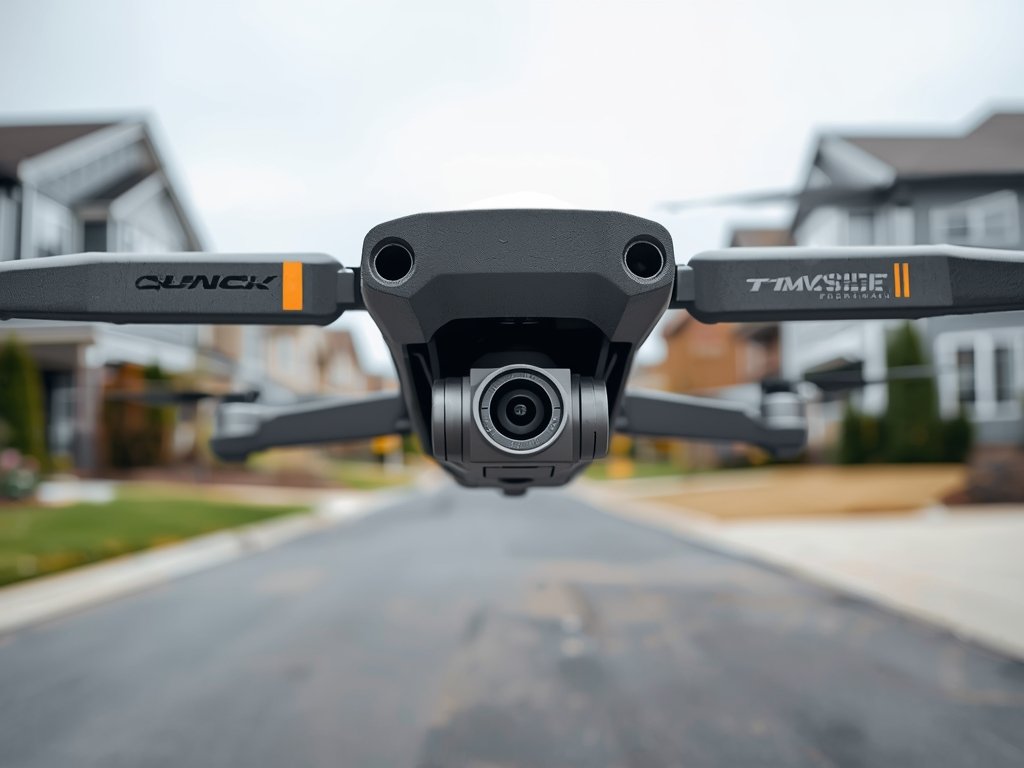
Settings alone are not always enough, especially on high-power builds and hot days. Physical cooling is cheap and it works. A stick-on aluminium heatsink on the VTX’s power amplifier chip — the one with the thermal pad — costs two to five dollars, adds a few grams, and gives the heat a bigger surface to leave from. Use thermal adhesive tape, not regular double-sided tape, between the VTX and the heatsink: ordinary tape insulates, and an insulated heatsink is decoration.
The most effective passive trick costs about a dollar: a one-to-two-millimetre thermal pad between the VTX circuit board and the carbon fibre frame, so the whole frame becomes a heatsink. Carbon fibre’s thermal conductivity is modest — a few watts per metre-kelvin, far below aluminium — but a whole frame is a large surface, and it beats still air by a wide margin. Whatever you do, leave at least three millimetres of air gap above and below the VTX heatsink for convection, and mount the VTX where prop wash reaches it rather than buried under a top plate with no airflow. A case clamped to an insulating plate cannot shed heat, and a VTX sandwiched between two plates with no air gap will overheat at power levels a freely mounted one handles easily. Mounting position is a cooling decision, not an aesthetic one.
Digital VTXs: DJI O3 and Walksnail

Digital video systems behave differently from analogue, and the overheating rules change with them. DJI O3 air units and Walksnail Avatar systems carry more processing — the video encoding happens on the air unit itself — so they generate heat even before the radio power is counted. They also protect themselves better: the DJI O3 is reported to drop into a low-power standby automatically, and to shut down at around ninety-five degrees and restart when cooled.
Do not let the self-protection make you careless. A digital unit that shuts down mid-flight because it overheated is a lost video feed at the worst moment, and repeated thermal shutdowns shorten the unit’s life. The same habits apply: standby mode on the ground, airflow in flight, a heatsink where the manufacturer provides one, and the antenna fitted before power. If your VTX reports its temperature — some SmartAudio 2.1 and later modules do, and the OSD can show it — enable the VTX temperature element in the Betaflight OSD tab and set a warning if it exceeds eighty-five degrees in flight. That number is the point at which to reduce power, and it is the only warning you will get before the feed goes. Our guide to FPV video breakup covers the other reasons a digital or analogue feed can fail, because a hot VTX and a bad antenna look identical from the goggles until you check the temperature.
Signs Your VTX Is Overheating
Learn the symptoms before they cost you a flight. The video gradually gets noisy, then cuts out — the thermal shutdown is imminent, and the VTX is about to protect itself by going dark. The VTX reboots mid-flight, the video going black briefly and coming back: that is thermal protection cycling, on and off, as the temperature crosses the threshold. The VTX LED flashing red, on modules that have one, means thermal protection is active. And a burnt smell from the VTX means permanent damage with no protection — the power amplifier is gone, and no setting brings it back.
Check the signs in order of severity. Noise that grows with flight time is heat, not range — range problems get worse with distance, heat problems get worse with time. A feed that dies after thirty seconds on the bench and works again after five minutes of cooling is the textbook overheating signature, and the fix is pit mode, not a new antenna. A feed that dies only at high power is a VTX that cannot shed the heat its own output makes: reduce the power level, improve the airflow, or fit a heatsink. A VTX too hot to touch after a flight has been running too hot for its whole life. For the range side of the same symptom, our FPV range problems guide separates the antenna and interference causes from the thermal ones, and it is worth reading if the bench test does not reproduce the fault.
What to Do After an Overheat
If your VTX has been powered at high output while stationary, act immediately. Disconnect the power — do not wait for it to cool while it is still powered, because it will not cool while it is still making heat. Let it cool for five minutes or more before you power it again, and when you do, power it at 25 milliwatts in pit mode and check the video quality at that level. If the picture is clean at low power, the VTX probably survived. Then test it at full power, briefly, with a fan on it: if the range is reduced at any power level, the power amplifier is partially damaged and the VTX should be replaced.
After the incident, fix the cause rather than the symptom. Enable low-power-on-disarm if it was off. Check the mounting: is there an air gap, is the heatsink still attached, is the thermal pad still in place after the last crash? Check the antenna: a damaged or loose antenna connector reflects power back into the amplifier as heat, and a VTX with a mismatched load overheats at power levels it handled easily before. If the VTX is dead and the whole quad is a ready-to-fly kit, our best FPV drone kit guide covers what to look for in a replacement, including the VTX. And remember the rule that outranks all of this: install the antenna, and check that its connector is properly mated, before you power on — every single time, at every power level, including pit mode, because powering a transmitter with no antenna destroys it in seconds, not minutes.
Join Our Pilot Community
Connect with fellow drone enthusiasts, share your aerial shots, and get access to free PDF ebook guides.